Introduction to the Smart Home Revolution
If you have ever found yourself wishing that you could turn off the downstairs lights from the comfort of your bed, or have your coffee brewed the exact moment you step out of the shower, you are in the right place. The smart home revolution is here, and it is changing the way we interact with our living spaces on a fundamental level. Building a smart home might seem like a daunting task reserved for tech wizards, but the reality is that the entry barrier is lower than ever. You do not need to wire your entire house from scratch or spend a fortune to get started. In this comprehensive guide, we will walk you through the essential steps to begin your smart home journey, ensuring you create a setup that is practical, efficient, and genuinely improves your daily life.
Many beginners make the mistake of buying random gadgets without a clear plan, leading to a disjointed system where devices do not talk to each other. To avoid this, it is crucial to understand the foundation of smart home technology. At its core, a smart home relies on internet-connected devices that communicate with each other and can be controlled remotely via a smartphone, tablet, or voice assistant. From saving energy with smart thermostats to boosting your home security with intelligent cameras, the possibilities are practically endless. Let us dive into the best way to get started, step by step.
Choosing Your Smart Home Ecosystem
Before you purchase a single smart bulb or plug, you need to decide on an ecosystem. Think of the ecosystem as the brain of your smart home. It is the central platform that allows all your devices to communicate and work together harmoniously. The three major players in the market today are Amazon Alexa, Google Assistant, and Apple HomeKit.
Amazon Alexa is incredibly popular due to its vast compatibility. Almost every smart device on the market works with Alexa, making it an excellent choice for beginners. The Amazon Echo smart speakers serve as great hubs, and the Alexa app is user-friendly. Google Assistant is another powerhouse, known for its superior ability to answer questions and integrate seamlessly with other Google services like Calendar and Maps. If you are already deeply entrenched in the Google ecosystem, this might be the natural choice for you. Apple HomeKit, on the other hand, is known for its strict security protocols and deep integration with iOS devices. If you are an iPhone user and prioritize privacy, HomeKit is a stellar option, though it typically supports fewer third-party devices compared to Amazon or Google.
Choosing the right ecosystem early on will save you a massive headache down the line. It ensures that when you expand your smart home, you will not have to juggle five different apps to control your living room lights, thermostat, and front door lock.
Starting Small: The First Devices to Buy
It is tempting to want to automate everything all at once, but the smartest approach is to start small. By beginning with a few foundational devices, you can learn how the automation process works without feeling overwhelmed.
Smart Speakers
Your first purchase should almost certainly be a smart speaker. Whether it is an Amazon Echo Dot, a Google Nest Mini, or an Apple HomePod Mini, this device will act as your command center. Not only can you use it to play music, check the weather, and set timers, but it will also be the primary way you interact with your future smart devices using your voice.
Smart Plugs
If you want the biggest bang for your buck, smart plugs are the way to go. These affordable little gadgets plug into your standard wall outlets, and you plug your “dumb” appliances—like a traditional lamp, a fan, or a coffee maker—into them. Instantly, you gain the ability to turn those appliances on and off remotely or set them on a schedule. It is a fantastic, low-cost way to dip your toes into home automation.
Smart Lighting
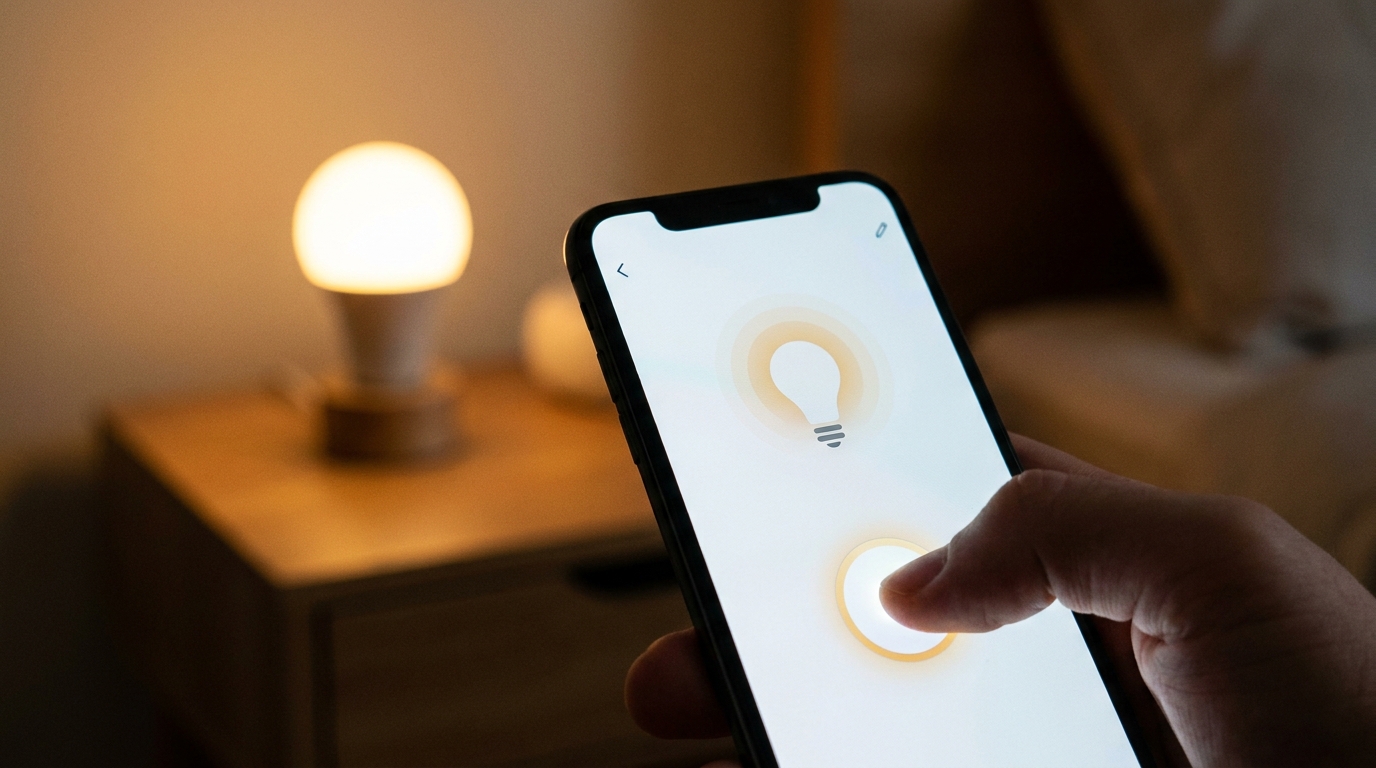
Smart lighting is where the magic really starts to happen. There are two main routes: smart bulbs and smart switches. Smart bulbs, like the popular Philips Hue line, simply replace your existing bulbs. They allow you to change colors, dim the brightness, and create scenes for movie nights or dinner parties. If you want to control multiple lights on a single circuit without replacing every bulb, installing a smart switch is a better, albeit slightly more technical, alternative.
Expanding Your Setup: Security and Climate Control
Once you are comfortable with the basics, it is time to look at devices that offer significant security and energy-saving benefits.
Smart Thermostats
A smart thermostat, such as the Nest Learning Thermostat or the Ecobee, is arguably the most practical smart home upgrade you can make. These devices learn your schedule and temperature preferences over time, automatically adjusting to save energy when you are not home. Not only does this make your home more comfortable, but it can also lead to noticeable savings on your utility bills.
Video Doorbells and Security Cameras
Enhancing your home security has never been easier. A video doorbell allows you to see, hear, and speak to visitors at your door from anywhere in the world. Many models also offer motion detection and package tracking. Paired with a few strategically placed indoor or outdoor smart cameras, you can achieve peace of mind knowing you can keep an eye on your property directly from your smartphone.
The Power of Routines and Automations
The true power of a smart home is not just controlling devices from an app; it is having those devices work automatically without any input from you at all. This is achieved through routines and automations within your chosen ecosystem’s app.
For example, you can create a “Good Morning” routine. When you say, “Alexa, good morning,” your smart home could automatically turn on the bedroom lights to a soft warm color, start the coffee maker via a smart plug, adjust the thermostat to a comfortable temperature, and read you the day’s news and weather. Conversely, a “Good Night” routine could lock the front door, turn off all the interior lights, and lower the thermostat.
Automations can also be triggered by events rather than voice commands. You could set your hallway lights to turn on automatically when a motion sensor detects movement after 10 PM, or have your smart blinds close when the indoor temperature hits a certain threshold to keep the house cool.
Overcoming Common Smart Home Challenges
While the benefits are immense, setting up a smart home does come with its share of challenges. The most common issue is Wi-Fi connectivity. Because almost all smart devices rely on a stable internet connection, a weak Wi-Fi signal can lead to unresponsive gadgets. If you are planning a comprehensive smart home setup, investing in a robust mesh Wi-Fi system is highly recommended. It will ensure consistent coverage throughout your entire house, eliminating dead zones.
Another concern for many users is privacy and security. Internet-connected devices can be vulnerable to hacking if not properly secured. To protect your smart home, always change default passwords, use two-factor authentication on your accounts whenever possible, and ensure your home Wi-Fi network is secured with a strong password. Keeping your devices’ firmware updated is also crucial to patching any potential security vulnerabilities.
Conclusion
Starting a smart home journey is an exciting endeavor that promises to add convenience, security, and energy efficiency to your daily life. By choosing the right ecosystem, starting with foundational devices like smart plugs and bulbs, and gradually expanding into security and climate control, you can build a system tailored exactly to your needs. Remember to explore the power of automations to truly unlock the potential of your smart gadgets. With a little planning and patience, you will transform your traditional house into an intuitive, modern smart home in no time.