Securing Your Home Without Breaking the Bank
For decades, installing a home security system meant signing a restrictive multi-year contract with a traditional security company. It involved scheduling professional installers to drill holes in your walls, paying steep monthly monitoring fees, and dealing with clunky, outdated keypads. While these legacy systems certainly provided a level of protection, they were prohibitively expensive for many homeowners and renters. Thankfully, the rise of smart home technology has completely disrupted the home security industry. Today, building a robust, effective, and customized smart home security system is not only possible but surprisingly affordable.
Do-it-yourself (DIY) smart home security systems empower you to take control of your own safety. These systems utilize wireless technology, meaning they are easy to install yourself in a matter of minutes, without a single drill or screw if you prefer. They connect directly to your home Wi-Fi network, sending instant alerts to your smartphone the moment something is amiss. Whether you are living in a sprawling suburban house or a compact city apartment, you can tailor a security setup to fit both your specific needs and your budget. In this comprehensive guide, we will break down the essential components you need to build a formidable smart security system without spending a fortune.
The First Line of Defense: Video Doorbells
If you only have the budget for one piece of security equipment, make it a smart video doorbell. The front door is the most common point of entry for burglars, and a video doorbell acts as an incredibly effective deterrent. Devices like the Ring Video Doorbell (the base model) or the Wyze Video Doorbell are highly affordable entry points into smart security.
A video doorbell replaces your traditional doorbell button with a small camera, microphone, and speaker unit. When someone presses the button, or even just steps onto your porch and triggers the motion sensor, you receive an immediate notification on your phone. You can open the app to see a live video feed of your porch and use two-way audio to speak to the visitor, whether you are sitting on the couch or halfway across the world on vacation. This ability to make it seem like you are always home is a powerful tool against “porch pirates” looking to steal packages or intruders casing the neighborhood. Many budget models now offer excellent 1080p video quality, night vision, and customizable motion zones to prevent false alerts from passing cars.
Securing the Perimeter: Contact Sensors and Motion Detectors
While cameras are great for visual verification, the true backbone of any security system lies in its sensors. These small, inconspicuous devices are what actually trigger alarms and alert you to a physical breach. For a budget setup, wireless contact sensors are your best friends.
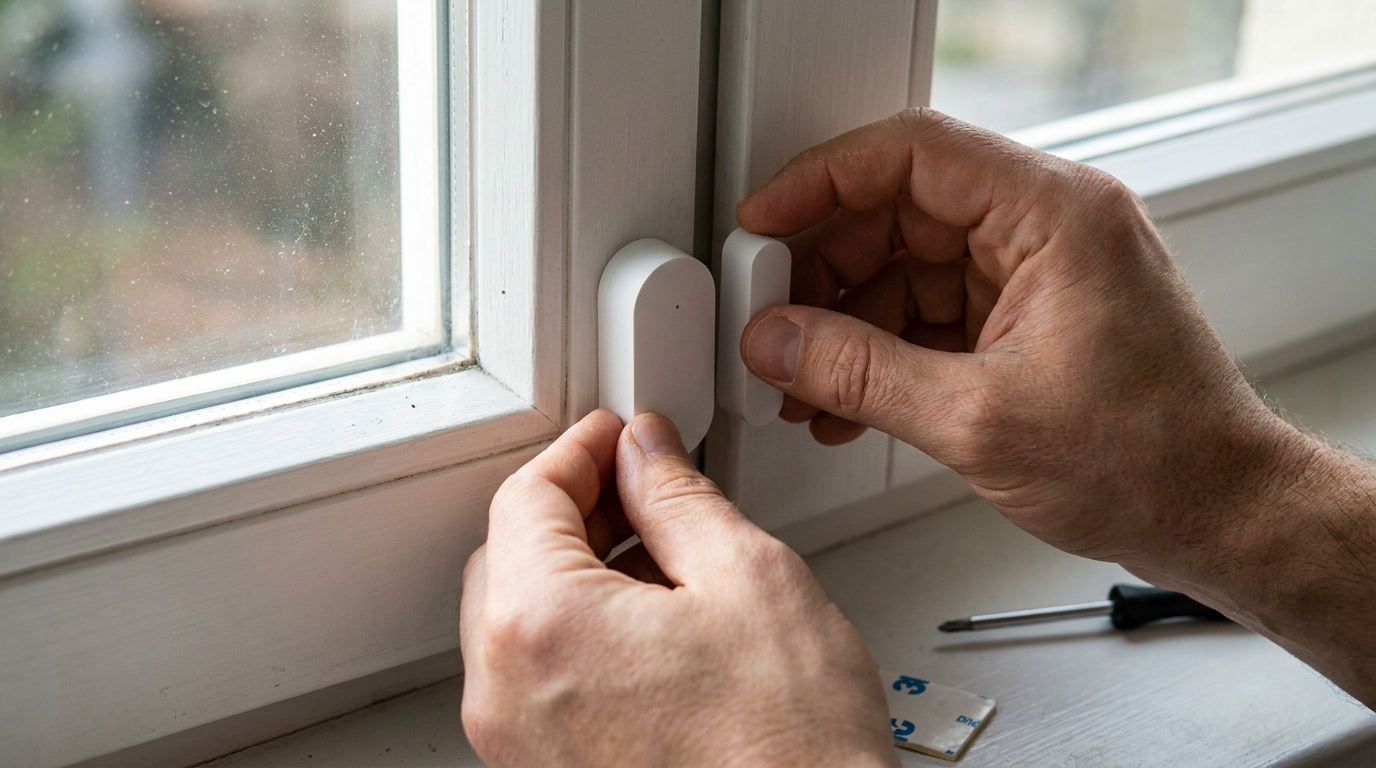
Contact sensors come in two small pieces. One piece attaches to the door or window frame, and the other piece attaches to the door or window itself. When the door or window is opened, the magnetic connection between the two pieces is broken, triggering the sensor. Brands like Eufy, Wyze, and SimpliSafe offer inexpensive multi-packs of these sensors. You should prioritize placing them on easily accessible ground-floor windows and exterior doors. They are usually installed using strong, double-sided adhesive tape, making them perfect for renters who cannot modify their living spaces.
To supplement your contact sensors, add a few indoor motion detectors. While contact sensors secure the perimeter, motion detectors protect the interior. Place them in high-traffic areas, hallways, or rooms containing valuables. If an intruder manages to bypass a window sensor, the motion detector will catch them as they move through the house. Modern smart motion detectors are designed to be “pet-immune,” meaning they use advanced algorithms or heat sensing to ignore the movement of small dogs or cats, preventing annoying false alarms while you are at work.
Eyes on the Inside and Outside: Smart Cameras
A few well-placed smart cameras can provide immense peace of mind and crucial evidence in the event of an incident. In the past, security cameras were notoriously expensive, but the market has seen a massive influx of high-quality, budget-friendly options in recent years.
For indoor use, cameras like the Blink Mini or the Wyze Cam v3 cost roughly the same as a few cups of coffee but deliver stunning HD video, two-way audio, and reliable motion tracking. You can place these in your main living areas, point them at your front door from the inside, or use them to keep an eye on pets while you are away.
Outdoor cameras are slightly more expensive due to the need for weatherproofing, but they remain highly accessible. Battery-powered options from Blink or Eufy are incredibly easy to install, as you do not need to run power cables to the mounting location. Simply screw the mount into your siding or a tree, pop the camera in, and you are good to go. The batteries typically last for several months before needing a recharge. Point these at your driveway, backyard gate, or any dark corners around your property. Look for models with built-in spotlights or sirens, which can activate upon detecting motion to actively scare off potential intruders.
Tying It All Together: Hubs and Sirens
To make all these disparate devices work as a cohesive security system, you need a central hub or a system that allows them to communicate. If you buy a kit from a company like Ring Alarm or SimpliSafe, the hub (usually called a base station) is included. This base station connects to your Wi-Fi (and often has a cellular backup in case your internet goes down) and acts as the brain, receiving signals from the sensors and cameras.
Crucially, the base station also houses the siren. A loud, piercing siren is essential for alerting you to danger if you are sleeping and for panicking an intruder into fleeing the scene. If you are building a piecemeal system using devices from different budget brands, you can use a smart home hub like Amazon Echo or Google Nest Hub to create routines. For example, you can create a routine where if a Wyze contact sensor is opened during the night, your Amazon Echo will play a loud alarm sound and turn all your smart bulbs to bright red. While not a dedicated security base station, this DIY approach is an incredibly cost-effective way to achieve similar results.
To Monitor or Not to Monitor?
The final decision when building your budget system is whether to opt for professional monitoring. With self-monitoring (the free option), when an alarm is triggered, your system sends an alert to your phone. It is then up to you to check the cameras and call the police if necessary. This saves you money but requires you to have your phone handy and cellular service active at all times.
Many smart security companies offer optional, no-contract professional monitoring for a small monthly fee (often a fraction of what traditional companies charge). With professional monitoring, if an alarm goes off and you do not respond to their phone call, the monitoring center will dispatch emergency services on your behalf. This provides the ultimate peace of mind, especially when you are traveling or asleep. Even if you choose self-monitoring to keep costs rock bottom, the presence of cameras and a loud siren provides a formidable defense against property crime.
Conclusion
You do not need to be wealthy to feel safe in your own home. By taking a DIY approach and leveraging the incredibly competitive smart home market, building a budget-friendly security system is entirely achievable. Start by securing your primary entry point with a video doorbell, reinforce your perimeter with inexpensive contact sensors, and add a few smart cameras for visual verification. By smartly combining these accessible technologies, you can create a customized ring of security that protects your family, your property, and your wallet.